 Sendtide
Is there a tool to bulk approve and email draft invoices in Xero?
Yes. Xero itself can approve a selection of drafts and then, as a second step, email the approved invoices, at no extra cost. Sendtide does both in one confirmed job: it loads your drafts, runs a pre-send check that lists the recipient address of every invoice and blocks invoices with no address, then approves and emails only after you type the count (for example SEND 24), with a result for every invoice. Loading and checking are free, the first 10 processed invoices per organisation are free, then $12 a month or $19 for 7 days (excl. VAT/sales tax).
The tools compared
Prices are the ones each vendor publishes, read on 30 Oct 2026. Check the vendor’s own page before you buy; prices change.
| Tool | What it does | Price | How Sendtide differs |
|---|---|---|---|
| Sendtide | Approve & email, Approve only, Email all or Mark as sent in one job, after a per-invoice pre-send check (no address = blocked). Result per invoice and Result CSV. | $12/month or $19 for 7 days; loading, checking and the first 10 invoices free | This is us. |
| Xero (built in) | Bulk approve selected drafts; bulk email approved invoices as a separate second step. | Included in your Xero subscription | One job does both, after a per-invoice list of recipient addresses; invoices without an address are blocked; a result for every invoice. |
| ApprovalMax | Multi-step approval workflows with an audit trail; emails sales invoices raised inside ApprovalMax. | Per organisation, billed monthly or yearly; amounts on the vendor pricing page; 14-day free trial | Works on the drafts already in Xero; nothing to set up; no approval chain. |
When another option fits better
If you send a few invoices at a time, or you already trust every contact address, Xero’s own two bulk steps are enough and cost nothing. If several people must sign off each invoice and you need a record of who approved what, an approval workflow tool such as ApprovalMax fits that job; Sendtide has no multi-person approval chain.
Sendtide cannot unsend an email or move an approved invoice back to draft, because Xero refuses that. It shows the full list before anything is sent so you can stop first.
How Sendtide does it
- Sign in with Xero and choose the organisation. Sendtide never sees your Xero password.
- Load invoices: Drafts or Approved unsent, filtered by contact, invoice or due date, amount and currency.
- Pre-send check: each invoice with the address it will go to. Missing address = blocked; zero total and already sent = warning.
- Confirm by typing the count, for example
SEND 24orAPPROVE 24. - Result for every invoice, a Result CSV and a History of past jobs.
Price in plain text
- Free: free. Load and check without limit, plus the first 10 processed invoices per organisation.
- 7-day pass: $19. One organisation for 7 days, no row quota, does not renew.
- Monthly: $12. Per organisation per month, cancel any time.
Prices are in US dollars, excl. VAT/sales tax. Start free: https://sendtide.atesensoftware.com/auth/connect.
Questions
Can Xero bulk approve and email invoices on its own?
Yes, in two steps: select drafts and approve them, then select the approved invoices and email them. It costs nothing extra. Xero does not show a per-invoice list of the address each email will go to before you send, and it does not do both steps as one job. Sendtide adds that check and runs approve and email together.
What does the pre-send check look at?
Every selected invoice is listed with the address Xero will send it to. An invoice with no email address is blocked in the email modes. A zero total or an invoice already marked as sent is shown as a warning. A wrong invoice type or status is blocked. Nothing is changed in Xero until you type the count, for example SEND 24.
How many invoices can one job handle?
Up to 1,000 selected invoices per job. Xero’s own email limit still applies: up to 1,000 invoice emails a day for a paying organisation and 20 for a trial organisation. Sendtide approves in groups of up to 50 and emails each invoice with your organisation’s own Xero invoice template.
Can I approve without emailing?
Yes. Approve only approves drafts without sending anything, and Mark as sent marks approved invoices as sent without an email. Neither needs an email address.
Can a sent email or an approval be taken back?
No. Emails cannot be unsent, and Xero does not move an approved invoice back to draft. To reverse an approval, void the invoice in Xero. That is why the check runs before the count is typed.
What does Sendtide cost?
Loading and checking are free, and so are the first 10 successfully processed invoices per organisation. After that $12 a month or $19 for a 7-day pass, excl. VAT/sales tax. Failed and skipped rows do not count.
Other product names belong to their owners. Sendtide is made by Atesen Software and is not affiliated with the other vendors named here.
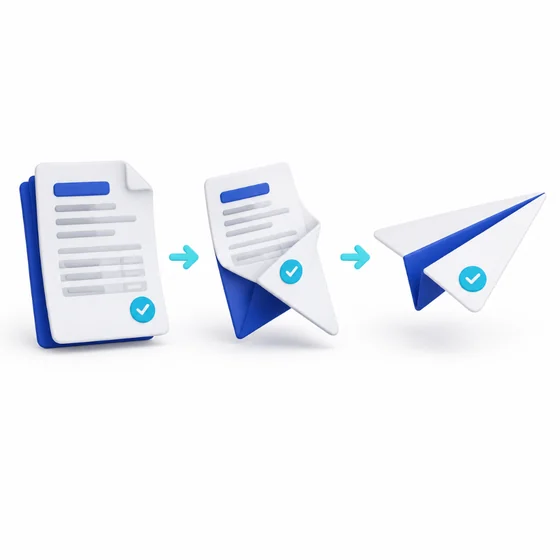
Draft invoices approved and emailed, or approved and marked as sent, in one confirmed job, after a free pre-send check, with a result per invoice.
Who it is for: Bookkeepers and small finance teams on Xero who raise many sales invoices and want them approved and sent in one checked step.
Start free with XeroCompare plans
Free to connect and run the pre-send check. First 10 processed invoices free, then $19 for 7 days or $12 a month, excl. VAT/sales tax.
Three steps

Sign in with Xero
You sign in on Xero’s own page and choose the organisation. Sendtide never sees your Xero password.
Run the free pre-send check
Filter the drafts, tick them, and see which are ready, which miss an email address and which need a look.

Approve and email in one go
Type the count shown, such as SEND 24. Approvals and emails cannot be undone, so the check comes first.